How to Merge PDF Files Online – Complete Step-by-Step Guide (Free & Secure)
PDF (Portable Document Format) is one of the most widely used file formats for sharing documents because it preserves formatting across all devices. Whether you’re a student submitting assignments, a business professional sharing reports, or someone organising personal documents, there are many situations where combining multiple PDF files into one document becomes necessary.
You can combine several separate PDF files into a single PDF. This will make your documents easier to manage, share, print, and archive.
In this guide, you’ll learn how to merge PDF files online, the benefits of using online PDF merger tools, step-by-step instructions, tips for maintaining document quality, and answers to frequently asked questions.
Some Merge Pdf Tools
What Does It Mean to Merge PDF Files?
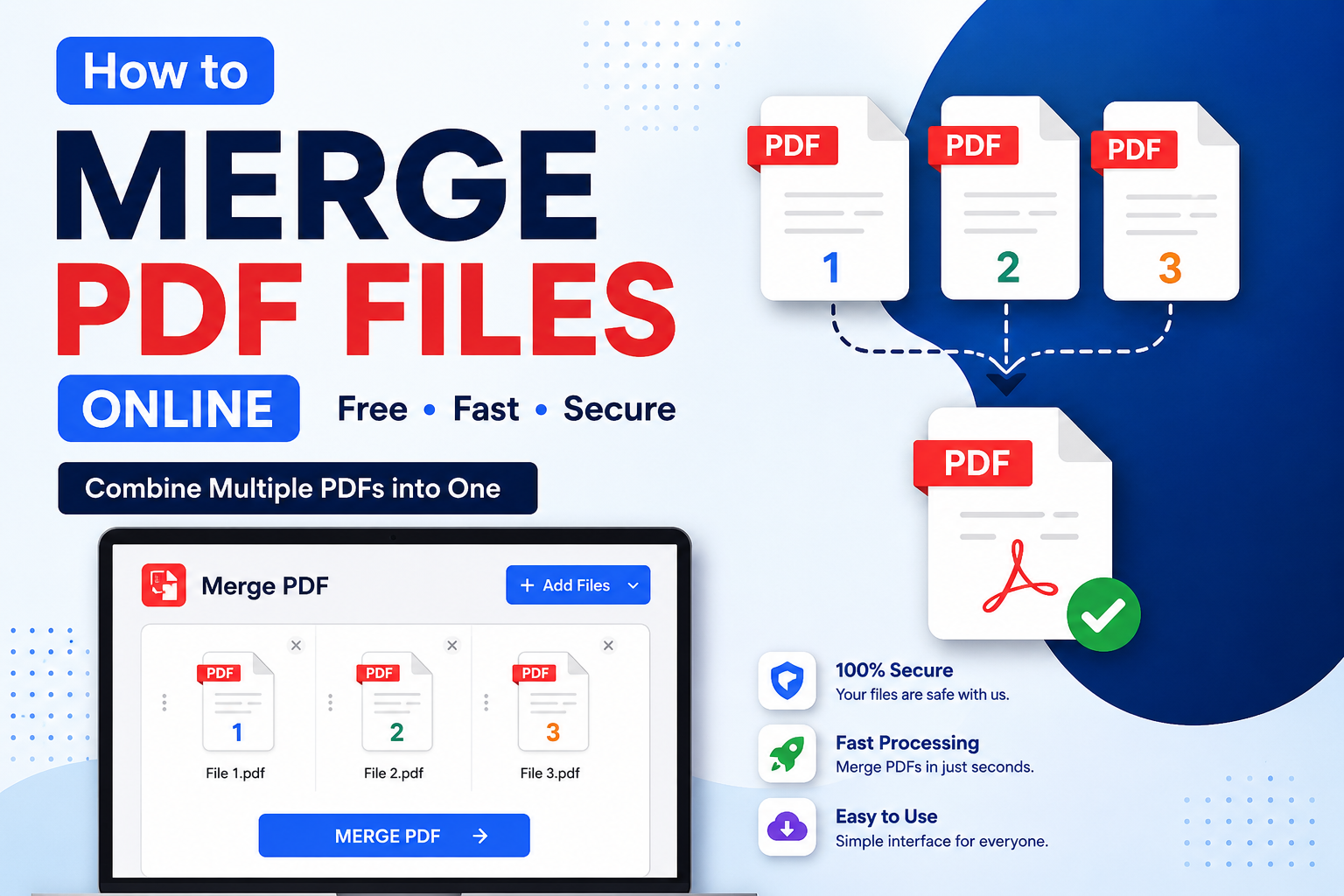
Merging PDF files refers to the process of combining two or more individual PDF documents into a single PDF file while preserving the original pages and formatting.
For example, if you have:
- Resume.pdf
- CoverLetter.pdf
- Certificates.pdf
You can combine all three into the following:
Job-Application.pdf
This makes document management much simpler.
Why Merge PDF Files?
There are many reasons why people combine PDF documents.
1. Easier Document Management
- Instead of storing multiple files, you only need one organised PDF.
2. Professional Appearance
- Sending one complete PDF looks much more professional than sending several attachments.
3. Easy Sharing
- One PDF is easier to upload via email, Google Drive, WhatsApp, or cloud storage.
4. Better Printing
- Printing one combined PDF saves time and ensures pages remain in the correct order.
5. Simple Record Keeping
- Businesses often merge invoices, contracts, receipts, and reports into one document for better organisation.
Benefits of Using an Online PDF Merger
Online PDF merger tools have become popular because they are quick and convenient.
Some major advantages include:
- No software installation required
- Works directly in your browser
- Compatible with Windows, Mac, Linux, Android, and iPhone
- Fast processing
- User-friendly interface
- Secure file handling
- Free to use in many cases
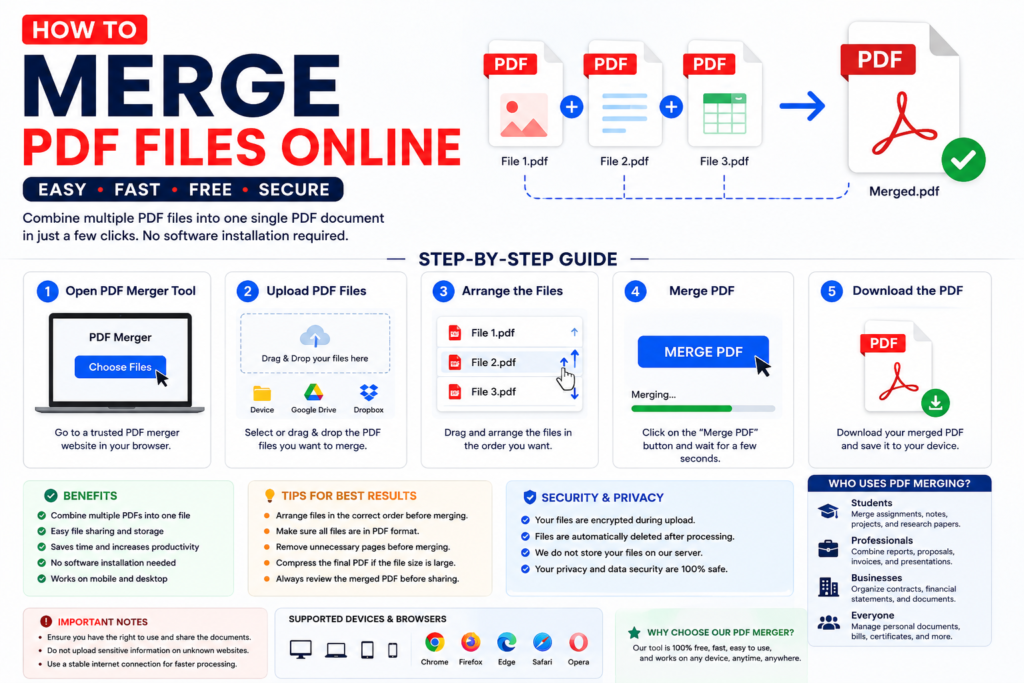
How to Merge PDF Files Online
Follow these simple steps.
Step 1: Open a PDF Merger Tool
- Visit a trusted online PDF merging tool in your web browser.
Step 2: Upload PDF Files
- Click the Choose Files or Upload Files button.
- Select all PDF documents you want to combine.
- Most tools also support:
- Drag and Drop
- Google Drive
- Dropbox
- Cloud Uploads
Step 3: Arrange the Files
- After uploading, arrange the PDFs in your preferred order.
- This step is important because the pages will appear exactly in this sequence.
Step 4: Click ‘Merge PDF’.
- Press the Merge PDF button.
- The tool will combine all selected files into one document.
Step 5: Download the Combined PDF
After processing completes:
- Click Download
- Save the merged PDF to your device
- Share or print it whenever needed
Can You Rearrange Pages Before Merging?
Yes.
Most online PDF merger tools allow you to:
- Move pages
- Change page order
- Delete unwanted pages
- Rotate pages
This helps create a well-organised final document.
Is It Safe to Merge PDF Files Online?
Security is one of the biggest concerns.
A good PDF merger should offer:
- Encrypted uploads
- Secure processing
- Automatic file deletion after processing
- No permanent file storage
- HTTPS protection
Always use trusted PDF tools for confidential documents.
Who Uses PDF Merge Tools?
PDF merging is useful for almost everyone.
Students
Students combine:
- Assignments
- Notes
- Projects
- Research papers
Teachers
Teachers merge:
- Question papers
- Worksheets
- Study material
Business Professionals
Businesses combine:
- Contracts
- Reports
- Financial statements
- Proposals
Government Employees
Government offices merge:
- Application forms
- Identity documents
- Certificates
- Official reports
Freelancers
Freelancers merge:
- Portfolio
- Resume
- Client proposals
- Work samples
Features to Look for in a PDF Merger
When choosing an online PDF merger, look for these features.
Fast Processing
The tool should merge files within seconds.
No Watermark
Your merged PDF should remain clean.
High Quality Output
No loss of image or text quality.
Unlimited File Uploads
Useful when working with multiple documents.
Cross-Platform Support
Works on:
- Windows
- macOS
- Android
- iPhone
- Linux
Browser Support
Compatible with:
- Chrome
- Firefox
- Edge
- Safari
Common Uses of PDF Merging
People merge PDFs for many purposes.
Examples include:
- Combining monthly reports
- Merging invoices
- Creating eBooks
- Joining scanned documents
- Combining bank statements
- Project documentation
- Legal documents
- Medical records
- Tax documents
- College assignments
Tips for Better PDF Merging
Follow these best practices.
Organize Files First
Rename files properly before uploading.
Example:
- Chapter-1.pdf
- Chapter-2.pdf
- Chapter 3.pdf
This makes arranging them much easier.
Check the file order.
- Always verify the order before clicking the merge button.
Remove Duplicate Pages
- Delete unnecessary pages to reduce file size.
Compress the Final PDF
- If the merged file becomes too large, use a PDF compression tool.
Review the final document.
Open the downloaded PDF and check for:
- Missing pages
- Blank pages
- Incorrect page order
- Rotated pages
Online PDF Merger vs Desktop Software
| Online PDF Merger | Desktop Software |
|---|---|
| No installation required | Installation required |
| Accessible from any device | Limited to one device |
| Free options available | Often paid |
| Easy to use | More advanced learning required |
| Automatic updates | Manual updates |
Online PDF merger tools are also the faster and more convenient option for the majority of users.
Common Problems While Merging PDFs
Upload Failed
This usually happens because of:
- Slow internet connection
- Large file size
- Unsupported PDF format
Try refreshing the page and uploading again.
Wrong Page Order
Always rearrange your files before merging.
Corrupted PDF
If one of your source files is damaged, the merged PDF may not work correctly.
Best Practices for Secure PDF Merging
To keep your documents safe:
- Use trusted PDF tools.
- Avoid uploading confidential documents on unknown websites.
- Check for HTTPS security.
- Delete downloaded temporary files if no longer needed.
- Read the website’s privacy policy.
Why Choose ToolBajar PDF Merger?
ToolBajar offers a simple and reliable PDF merging experience with features such as the following:
- Free PDF merging
- Fast processing
- No software installation
- Secure file handling
- High-quality output
- Easy drag-and-drop interface
- Works on desktop and mobile devices
- User-friendly design
Whether you’re a student, office worker, freelancer, or business owner, ToolBajar helps you combine PDF files quickly and efficiently.
Frequently Asked Questions (FAQs)
Is it free to merge PDF files online?
- Yes. Most online PDF merger tools, including ToolBajar, allow users to merge PDF files for free.
Can I merge more than two PDF files?
- Yes. Most tools support combining multiple PDF files into a single document.
Will merging PDFs reduce quality?
- No. A good PDF merger preserves the original quality of text, images, and formatting.
Can I merge password-protected PDFs?
- Yes, but only if you know the password and the tool supports encrypted PDF files.
Do I need to create an account?
- Most free PDF merger tools do not require registration.
Can I merge PDFs on my smartphone?
- Yes. Online PDF merger tools work perfectly on Android phones, iPhones, and tablets.
Is there a limit on file size?
- Some tools have upload limits, while others support larger files. It depends on the service you use.
Conclusion
One of the easiest ways to organise documents, improve productivity and make file sharing easier is to combine PDF files online. Whether you’re working on a business report, college assignment, eBook or combining personal records, an online PDF merger can be a real time-saver.
Upload your PDF files, organise them in the order you like, merge them into one single document, and download the final PDF in just a few clicks, without installing any software.
If you want to do it fast, free and safely, ToolBajar’s PDF Merge Tool is a great option. It offers a smooth and user-friendly experience, while ensuring the quality and safety of your documents.
Now you know how to merge PDF files online easily, safely, and effectively when you need to, with the steps and tips we’ve provided in this guide.